
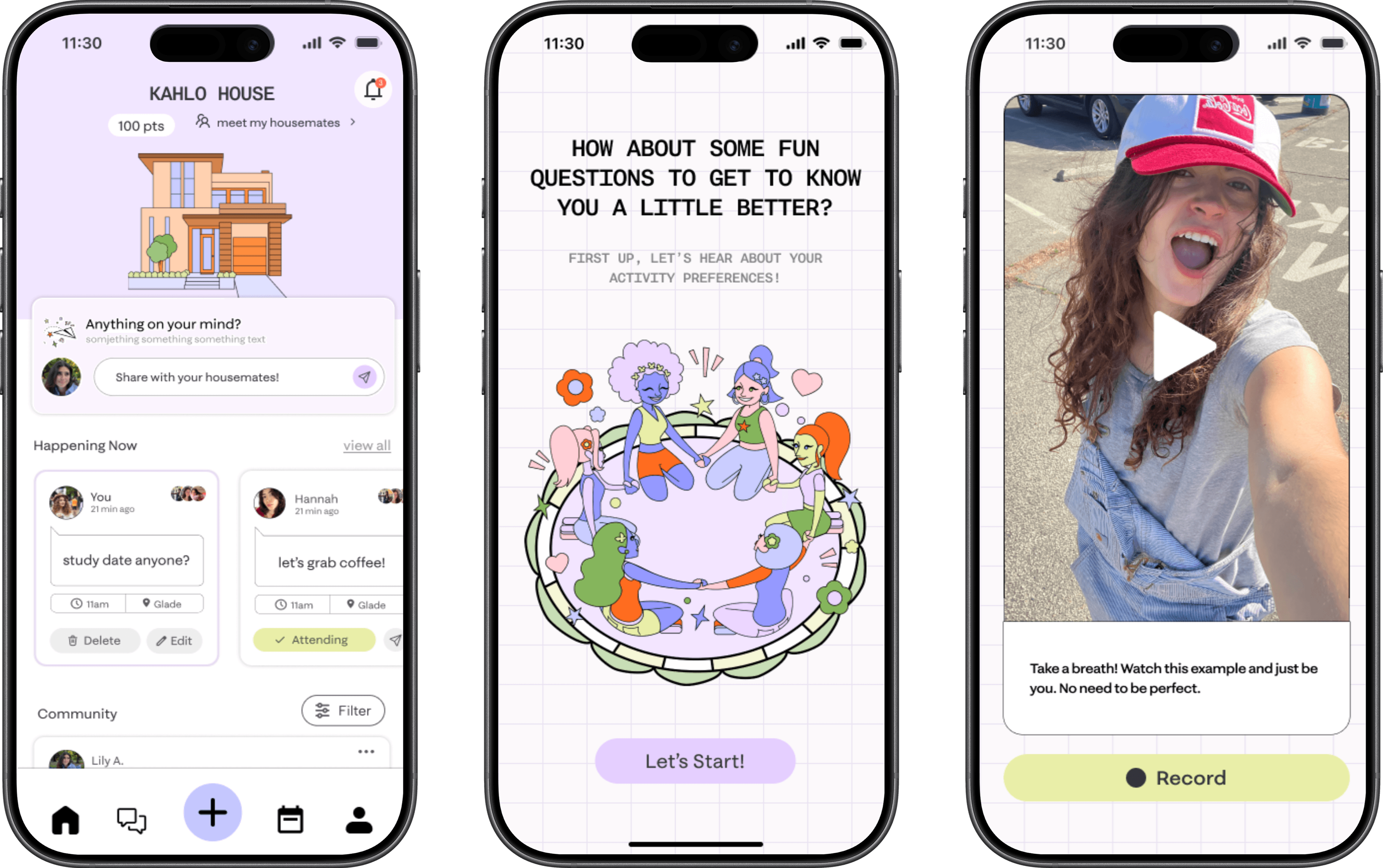
2025 / Product Design / MOBILE APP
Redesigning Quilly for Clarity and Cohesion
ROLE
Product Designer
TEAM
4 Designers
TOOLS
Figma, FigJam
DURATION
August - October 2025 (12 Weeks)
The Problem
Quilly’s existing interface suffered from feature overload and inconsistent visuals, making it difficult for users to navigate and engage with the platform.
Quilly is an early-stage startup creating an app that facilitates a virtual living-learning community to help college students connect IRL, reducing loneliness at scale. Through features such as meet-ups and discussions, Quilly creates a space where users don’t just “meet people", they find their support system.
However, user feedback and usage analytics revealed that Quilly’s expanding set of features has led to confusion, low task completion rates, and decreased user satisfaction. Additionally, the brand’s neutral color palette and subdued visuals failed to appeal to its youthful, creative audience.
The S0lution
Our goal was to refine Quilly’s information architecture, prioritize essential user flows, and introduce a refreshed, colorful brand identity that enhances both usability and emotional engagement.
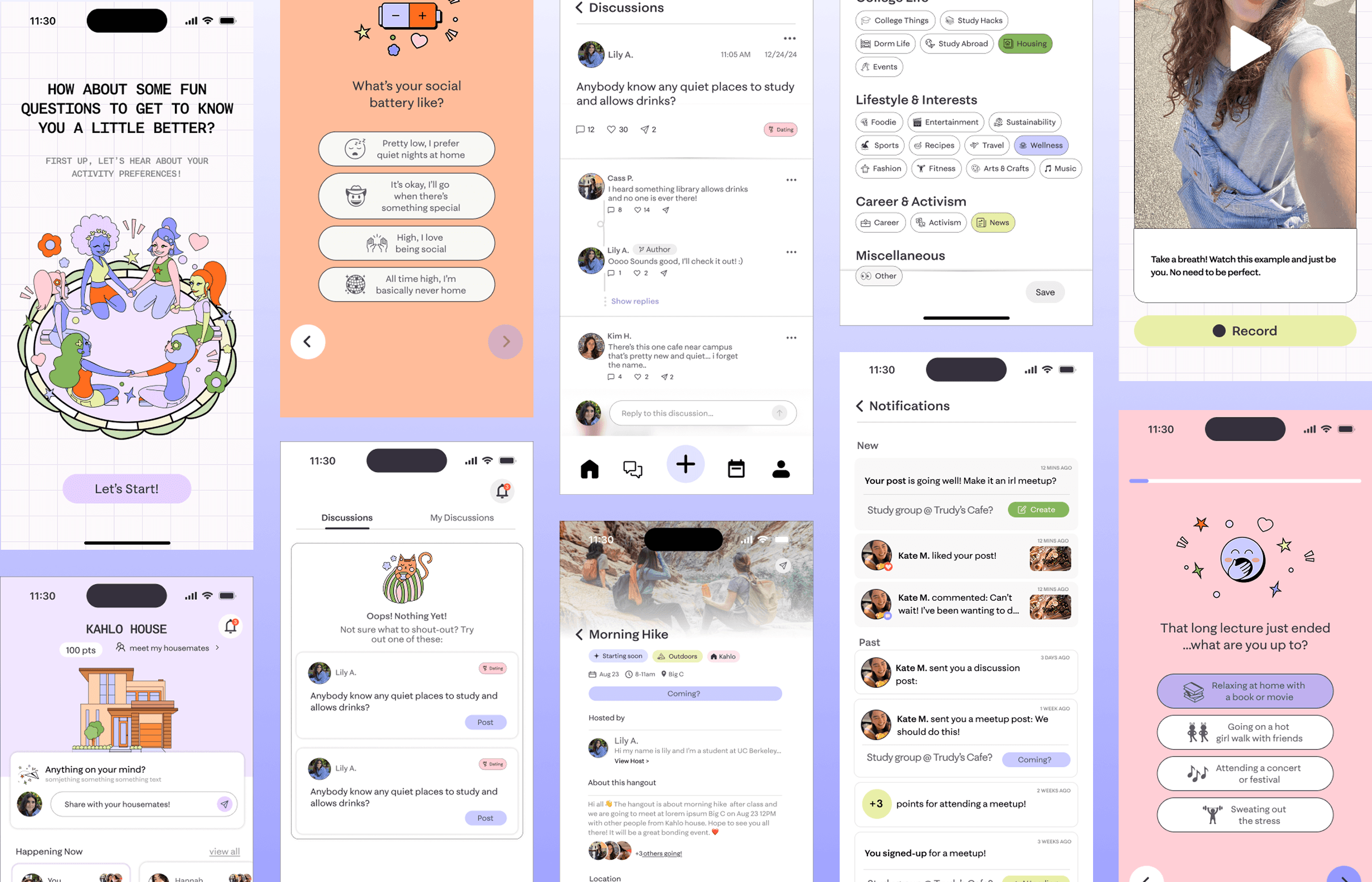
FIG. 0
Finished Screens
OUTCOMES
+73.4%
Improved information discovery by 73.4% for finding essential features
+45%
Increased user ratings on visual and emotional experience by 45%.
97%
97% of test users would recommend Quilly to a friend
Understanding Quilly
Mapping key features
To better understand how to refine the user's experience, we had to keep in mind the pre-existing features that Quilly supported that would need to be incorporated in the redesign. These include:
Hover over me!

House Chores:
Small tasks designed to help other Quilly members out.

Check-ins:
Story-like feature that allows users to post a quick photo and check in describing their current day.

Discussions:
Boards that allow users to ask other Quilly members general questions.

Shoutouts:
Quick updates sent by a user.

Hangouts:
Events planned farther in advance for the community and organized by the Quilly team.
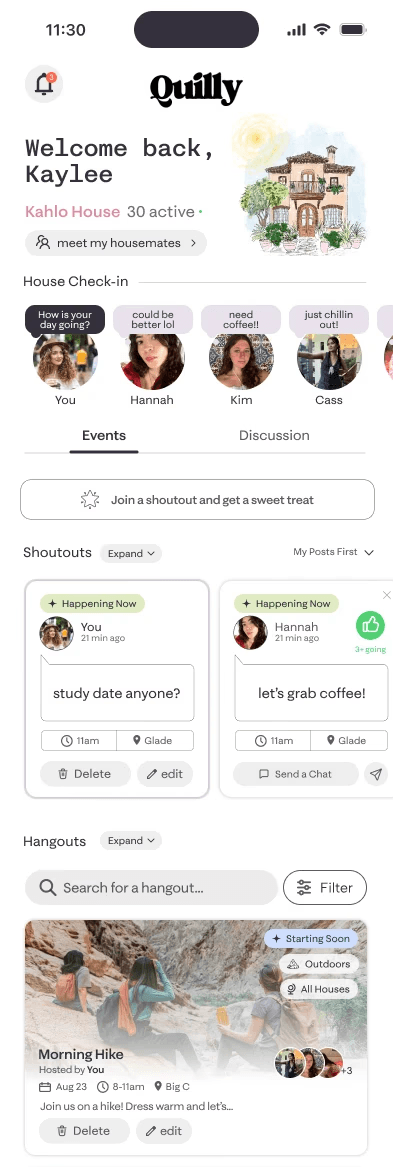
FIG. 1
Key Features
Understanding the competition
Before diving into the design, I conducted a competitive analysis on other social apps targeted towards college students. My goal was to gather insights on features, value propositions, user flow, layout, tone, and language.
From my research, I found that Quilly was the only app that not only created personalized communities based on your interests but also created and hosted events for its users based on these communities. I kept Quilly's unique offerings in mind when redesigning the interface making sure to highlight them.

FIG. 2
Competitve Analysis
User Research
Understanding user pain points
To better understand user pain points, we conducted a few rounds of usability tests followed by user interviews. The key aspects we looked into included:
Consideration #1

USER COMPREHENSION OF THE APP
Do users understand what the app has to offer?
Consideration #2

USER EASE OF NAVIGATION
Can users find their way around the app?
Consideration #3

Visual Appeal and Aesthetics
Do users resonate with the design language?
User testing revealed that only about 48% of test users rated the app as "youthful", "creative" and "energetic". Additionally, participants were overwhelmed by the app’s dense feature set, finding it difficult to differentiate between core features like Chores, Shoutouts, and Hangouts. This confusion contributed to an average information discovery time of about sixteen seconds. Sections such as the Discussion Panel were also frequently overlooked due to poor visual hierarchy, resulting in a 55% average task success rate.
User interview quotes
From this research and user quotes we were able to get a good feel of user's sentiments
“I wish there was a tutorial or help section explaining the difference between shoutouts and hangouts.”
"The homescreen is super overwhelming. It took me a long time to find where to go for certain tasks."
"I had trouble distinguishing between what could be clicked on and what couldn't on the homescreen."
Design Audit
Evaluating all of Quilly's Features
The user research indicated that user pain points lie in the information architecture and features of the app. Therefore, I conducted a MoSCoW analysis and feature audit to identify and remove unnecessary functions. Insights from these processes informed the new app structure and helped define a clear project scope, guiding the overall design direction.
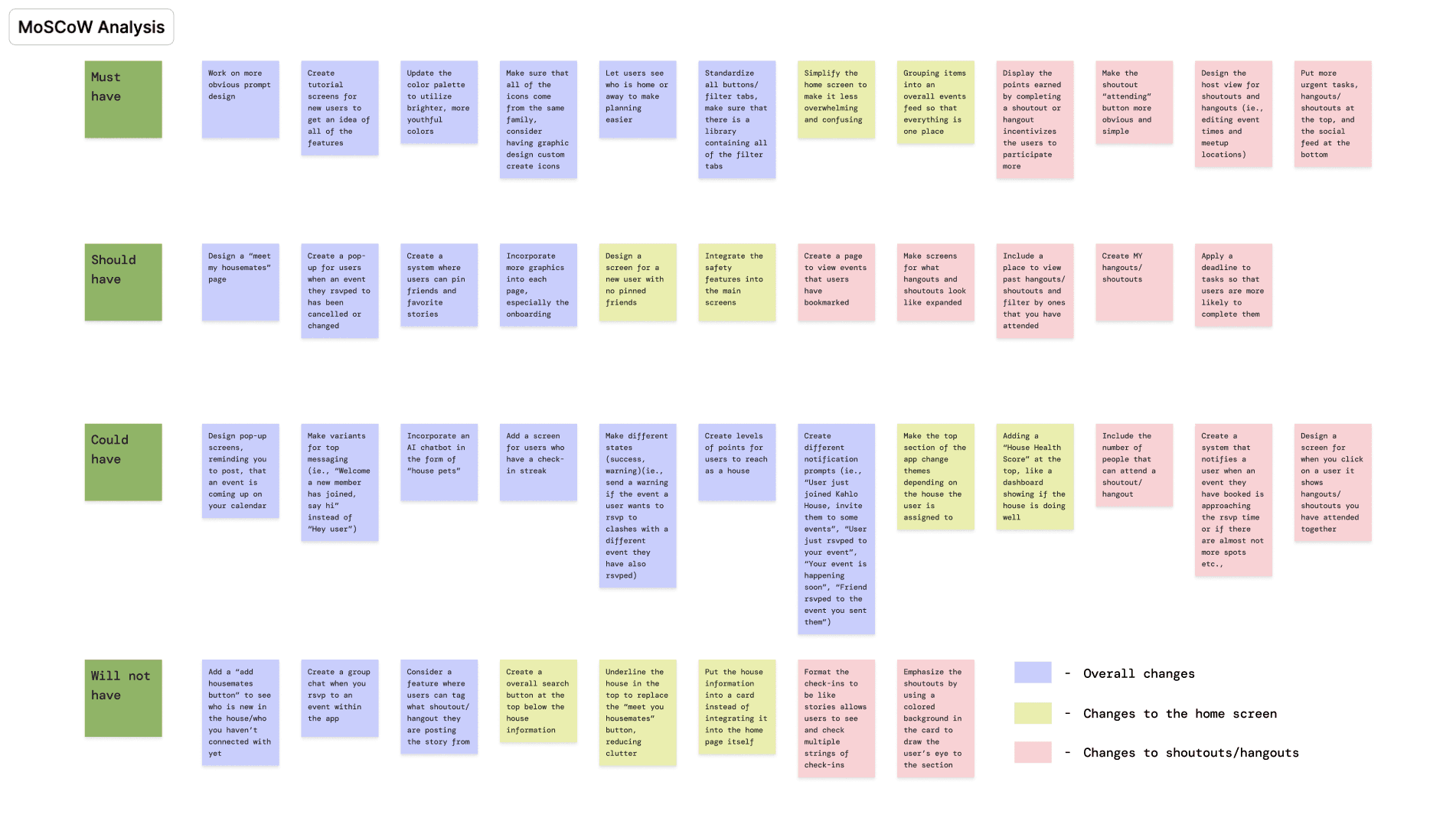
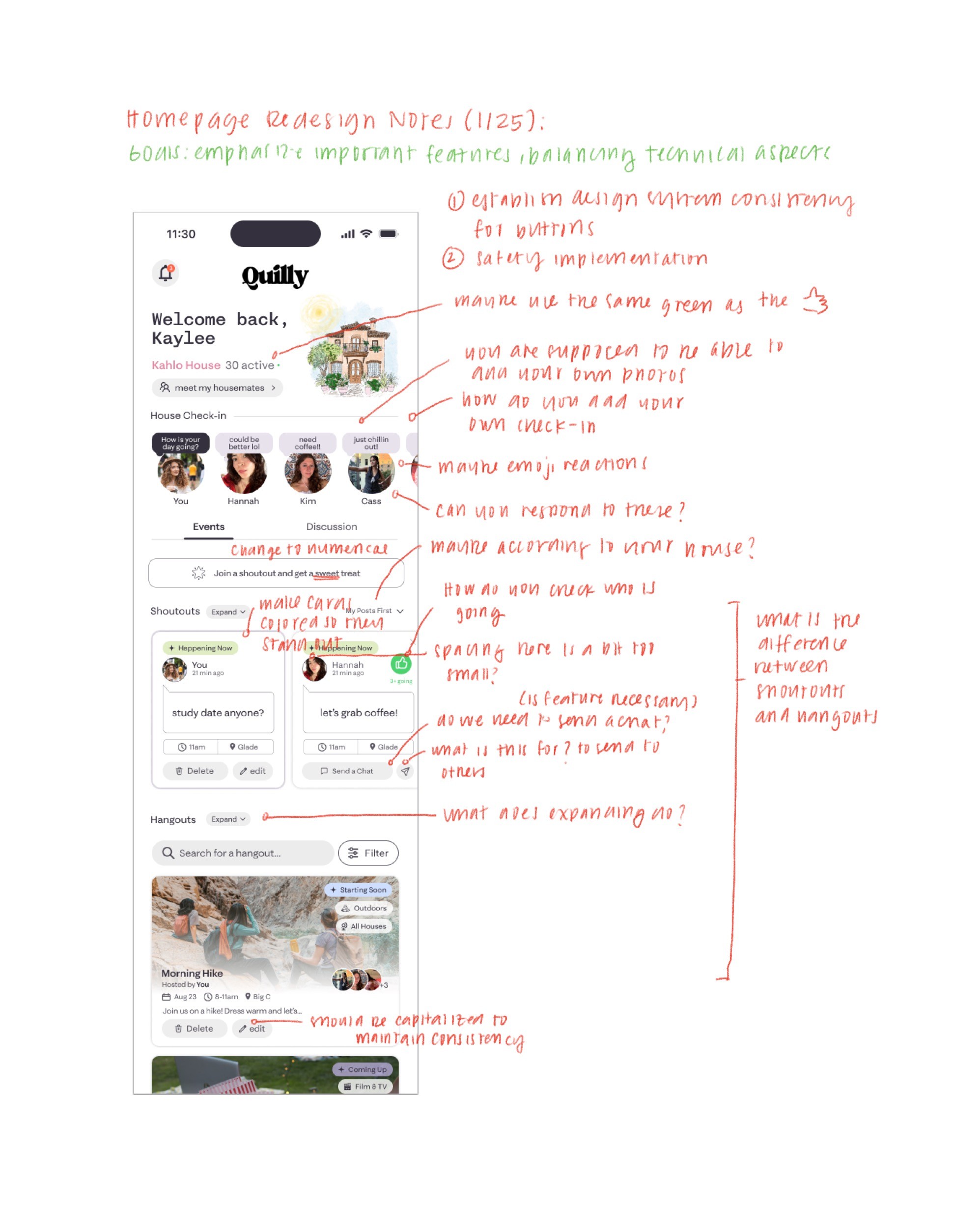
FIG. 3
Moscow Analysis + Design Audit
Design System
Cleaning up the visual chaos
We began the redesign process by tackling Quilly’s visual inconsistencies, which contributed to a disorganized and unpolished user experience. Mixed graphic styles, mismatched icon libraries, and inconsistent typography made the interface feel distracting and incohesive.
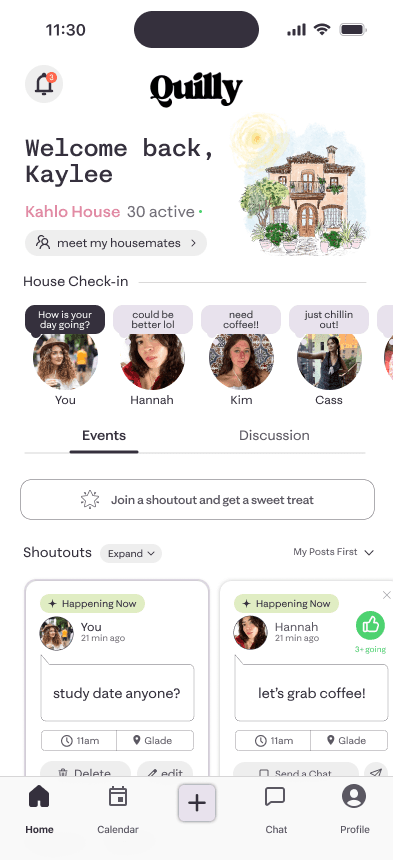
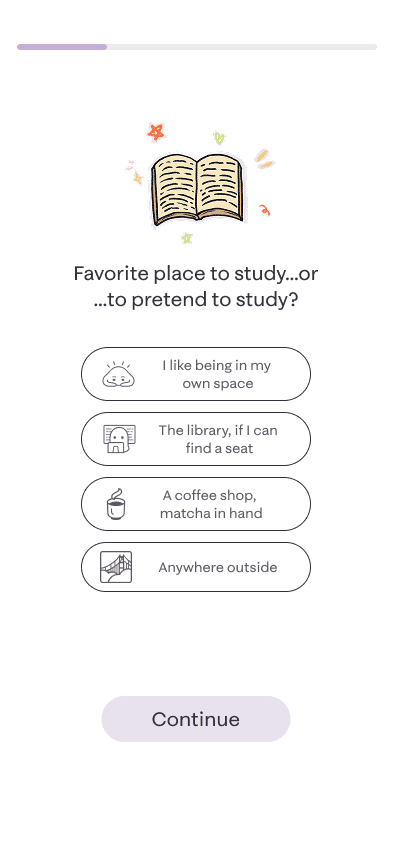
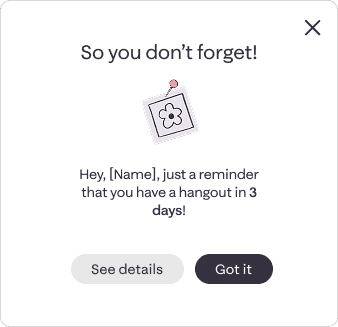

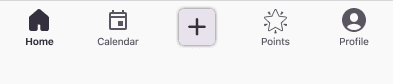
FIG. 4
Old Screens
Brainstorming, moodboarding, and more
Additionally, during user testing, we found that participants did not resonate with the more muted neutral color palette of the app. Three keywords were used by my team and I to set a moodboard to guide the visual direction. During this brainstorming process, we also kept 2 key considerations in mind:

COnsideration #1
Quilly is an app meant for college-aged girls
COnsideration #2
The color palette and branding will affect all touchpoints
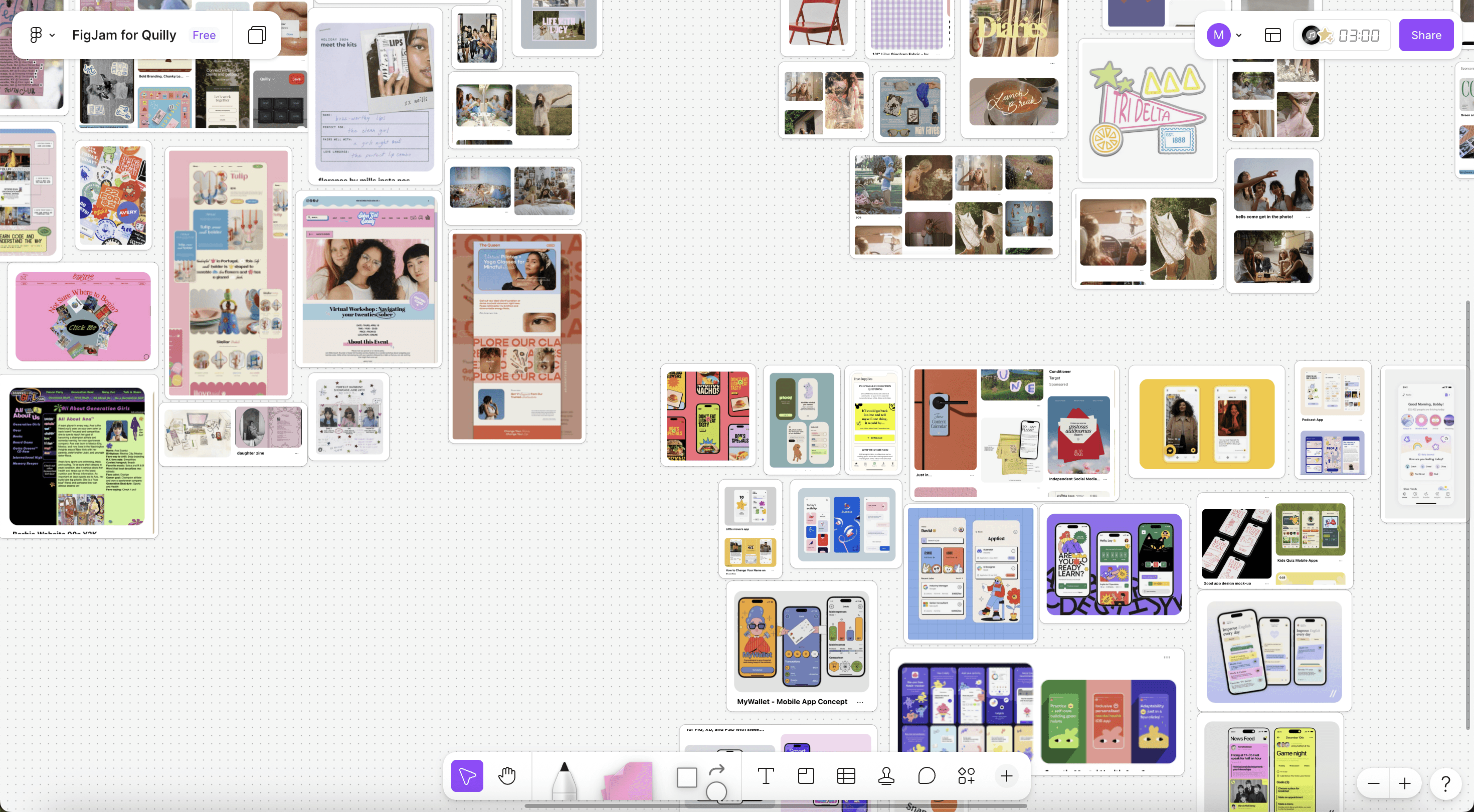
FIG. 5
Figjam ModdBoard
Developing a unified design system
With the visual inconsistencies and brand vision in mind, my team and I developed a streamlined design system to support the core product redesign and ensure visual and functional consistency across the platform.

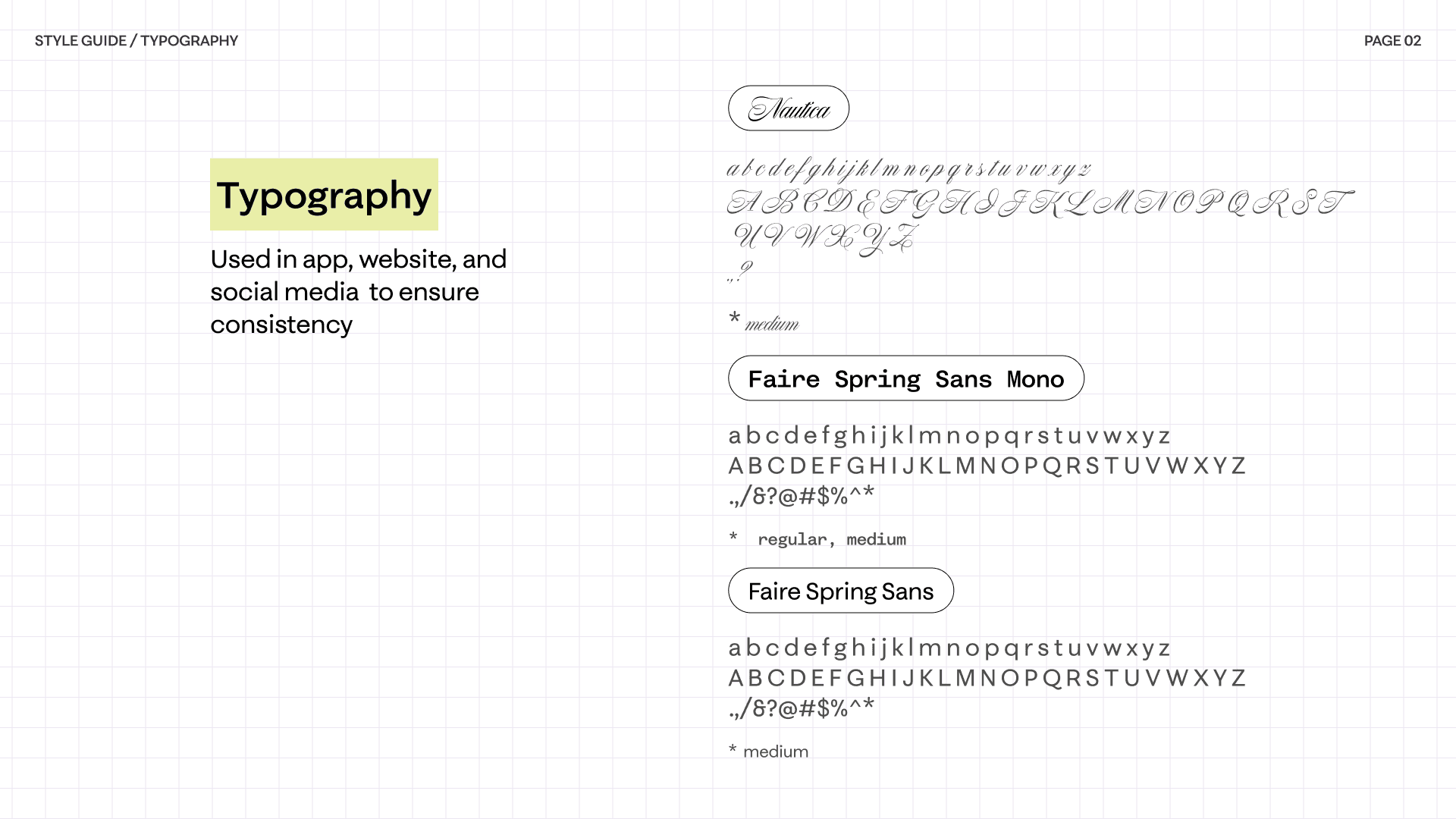
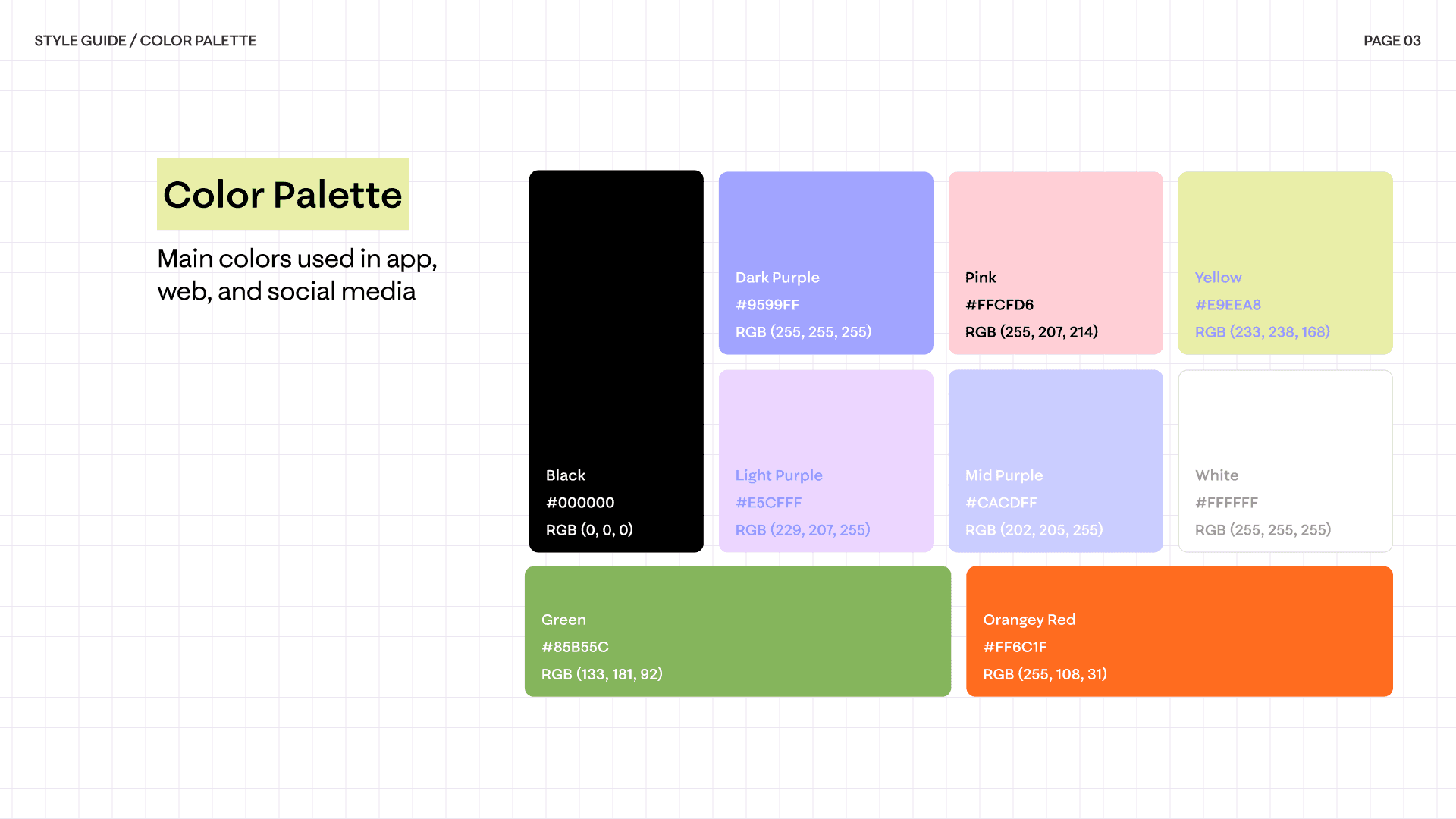

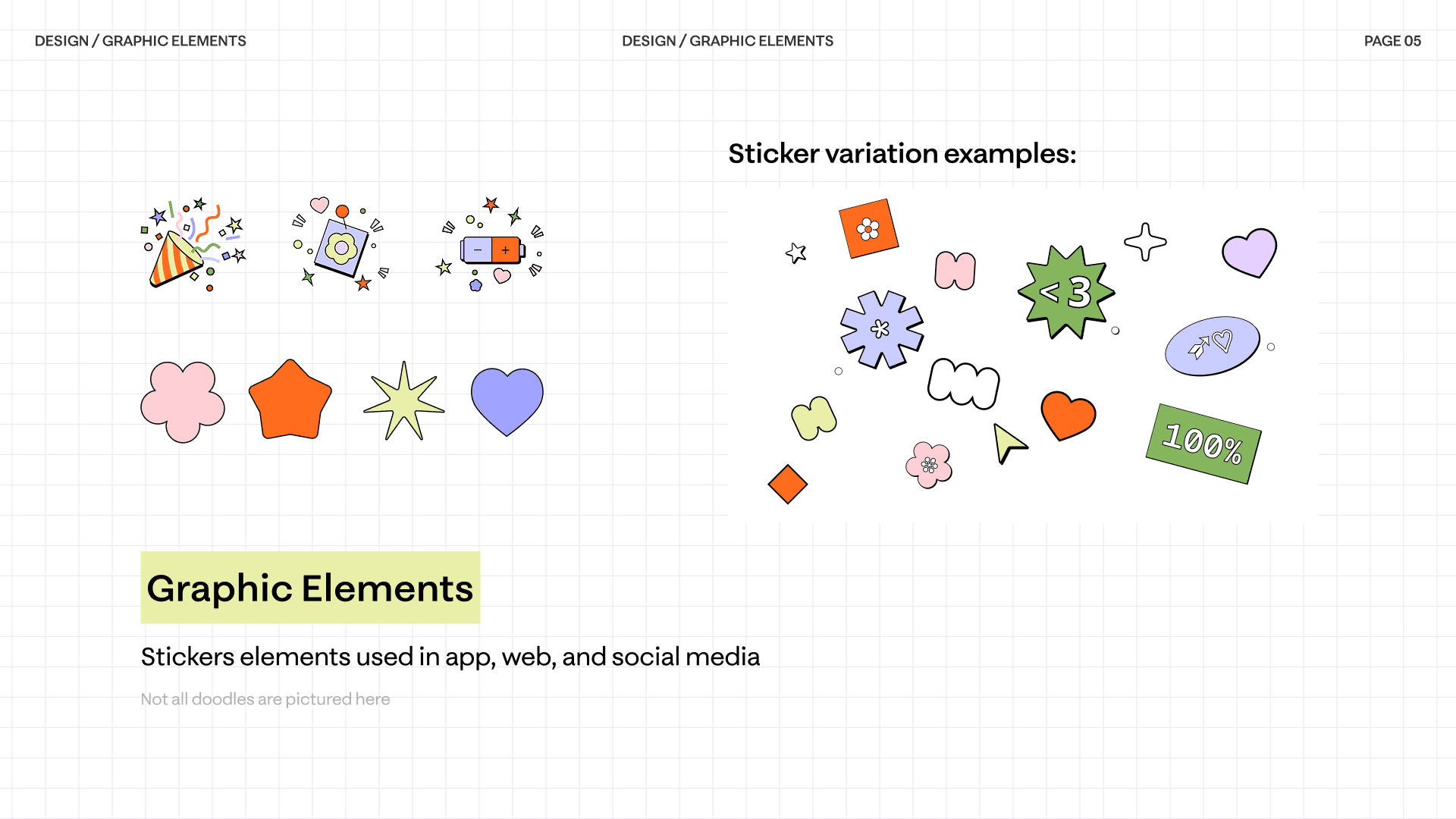

FIG. 6
Design System
When focusing on the app-specific design system, I found that the existing library wasn’t comprehensive—many components were being rebuilt from scratch, leading to inconsistency and inefficiency.
To address this, I structured my process as follows:
DESIGN PROCESS
01
Audit
02
STRUCTURE
03
Design
04
Collaborate
05
Iterate
FIG. 7
Design Process for App
I rebuilt the library by defining a scalable three-layer system—primitives, tokens, and components. From this system, I built a comprehensive component library in Figma with clear documentation and usage guidelines

Priminitives


Tokens

Components

FIG. 8
Three-Layer Structure Breakdown
Applying the unified design system
We used the new brand guidelines and component library to rebuild the app's core screens.

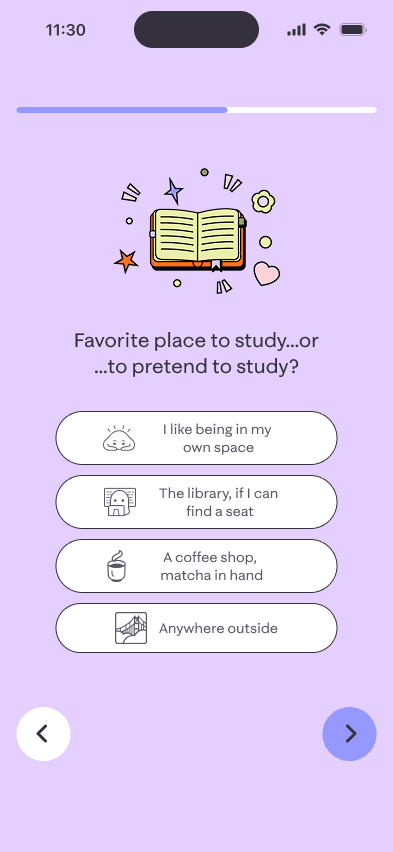

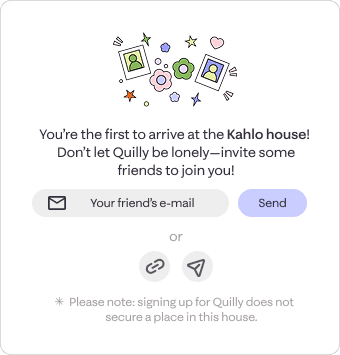

FIG. 9
New screens with New Design System
Outcome
A cohesive visual system enhanced brand consistency and boosted positive perception by 45%, with 93% of users describing the redesign as “youthful,” “creative,” and “energetic.”
Addressing Pain POints
With the new look established, we began refining the app’s structure to simplify navigation, enhance information hierarchy, and minimize user confusion.
The Scroll Problem
One of the first challenges we encountered was designing the home page in a way that would allow for important house information to be presented at the top without obscuring important features below by forcing users to scroll too much.
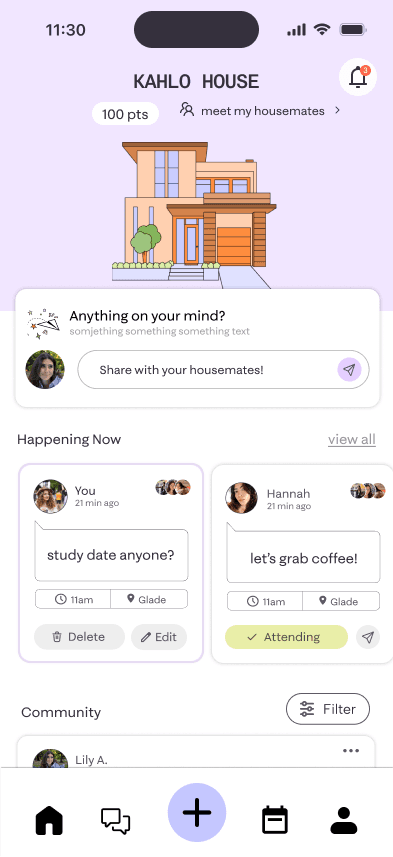


Important house information but not necessary
Action items are cut off by the screen size
FIG. 10
The Scroll Problem
Our solution was a simple collapsable header that hides the house information as you scroll, improving access to important features.

Old Standard Scroll

New Sticky Scroll
FIG. 11
Comparison of Old vs. New Scroll
Restructuring the information architecture
To streamline navigation and reduce cognitive load, we grouped Shoutouts and Hangouts under a single label, “Happening Now.” This helped consolidate related functions and create a more intuitive structure. Additionally, since the Discussion Panel was frequently overlooked due to weak visual hierarchy, we integrated it directly into the main homepage under a new “Community” section, removing the need for users to navigate to a separate page.

FIG. 12
Before and After of Information Architecture
Combining Shoutouts and Hangouts
I standardized the design of Hangouts cards to match the Shoutouts layout, creating visual consistency within the new “Happening Now” section. The updated label helped users immediately recognize both features as event-related activities.
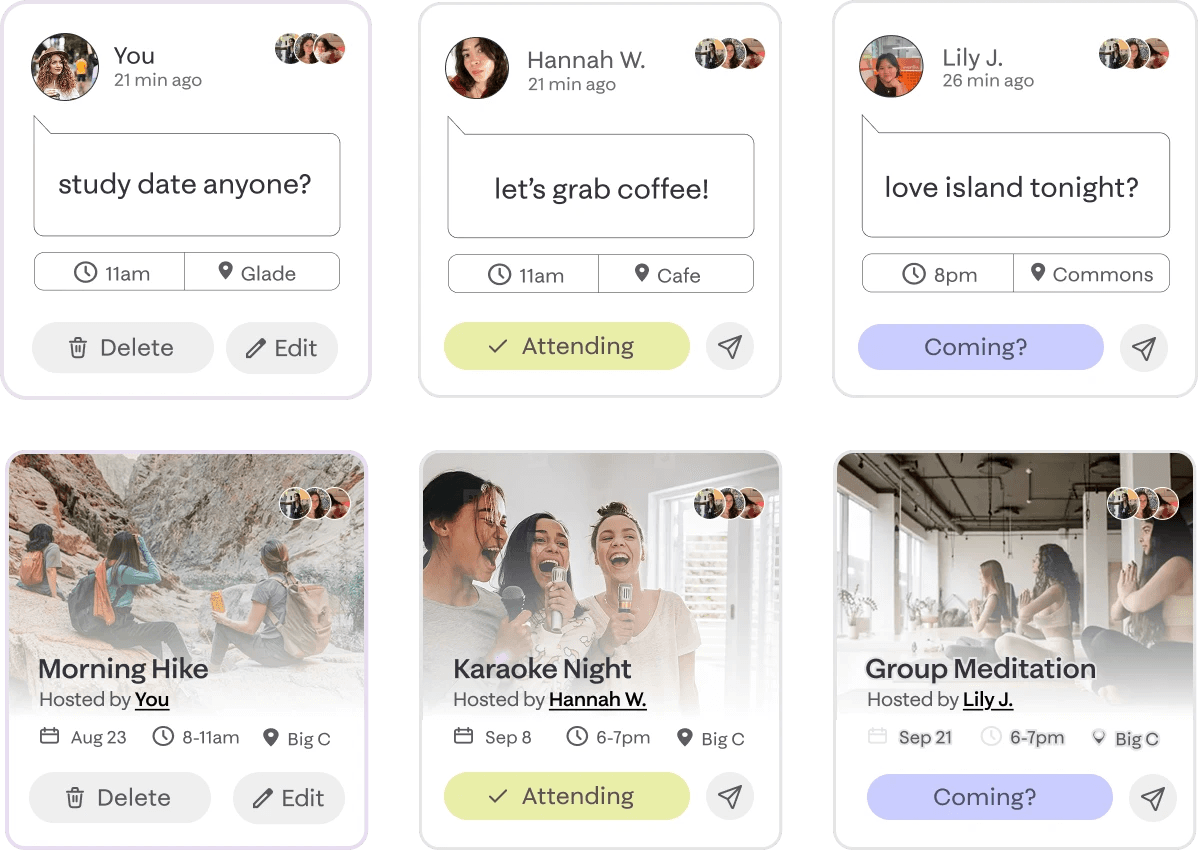
FIG. 13
New Shoutout and Hangout Cards
Integrating discussions into the main screen
I standardized the design of Hangouts cards to match the Shoutouts layout, creating visual consistency within the new “Happening Now” section. The updated label helped users immediately recognize both features as event-related activities.

ONLY 55% OF USERS WERE ABLE TO FIND THE DISCUSSIONS TAB
FIG. 14
Highlight of Discussion Tab





4+ different types of media in the Discussion tab
FIG. 15
Media in the Discussion Tab
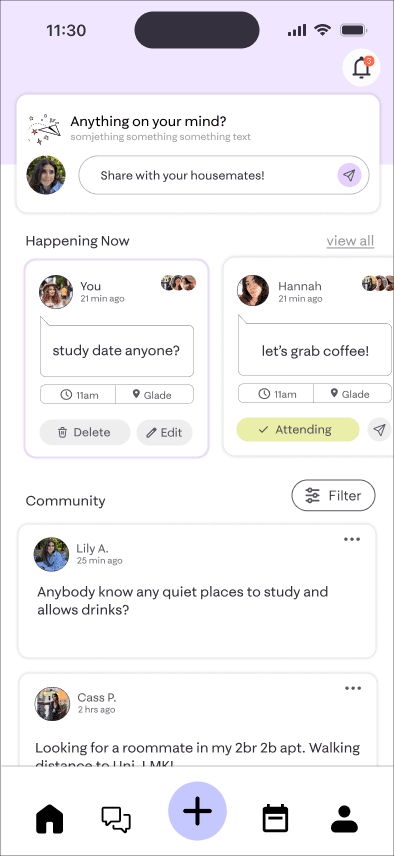
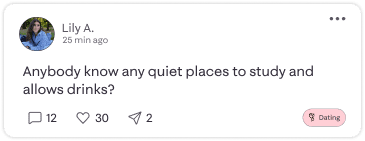
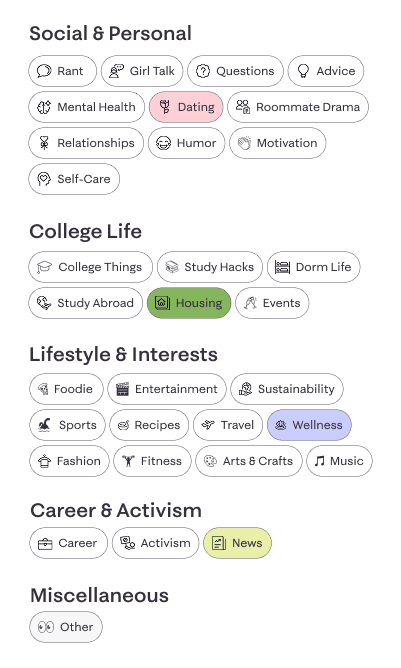
Integrated "Community" tab
Single media type that can be filtered based on tags
FIG. 16
New "Discussion" in Community
Features Added
Creating a tutorial in the onboarding process for users to familiarize themselves with the app
Interviews with users revealed that many of them wanted a tutorial or walkthrough during the onboarding process to explain all of the features Quilly had to offer. So we worked to design a tutorial that was both informative but also engaging and fun.


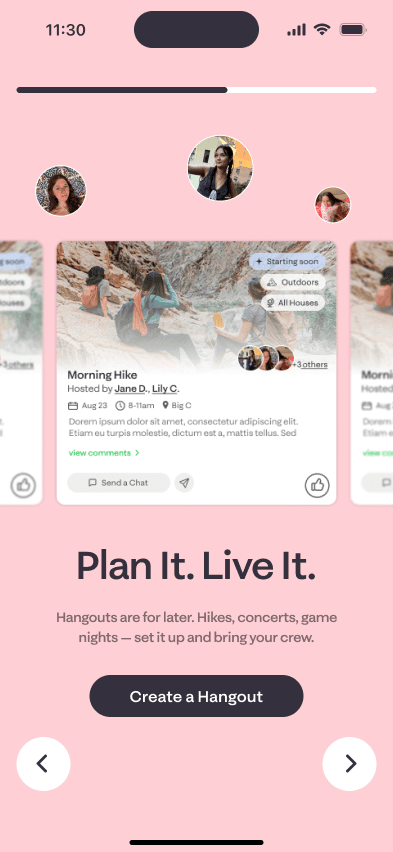
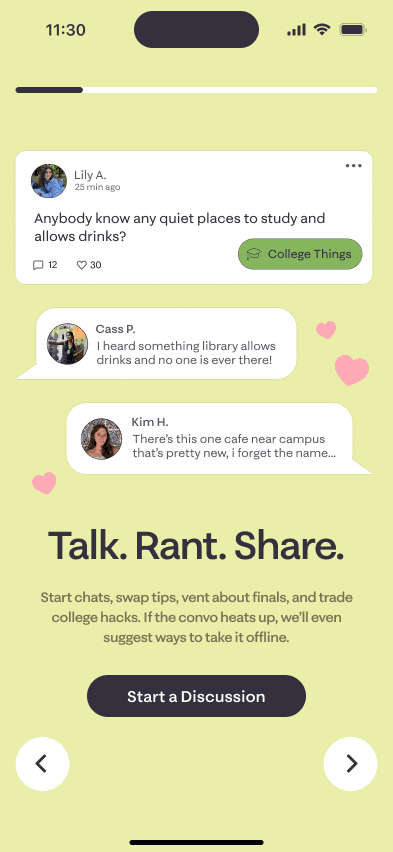
FIG. 17
New Tutorial
Features Removed
Narrowing the scope
In the end, my team and I decided to remove the chores and check-in features at least for the first launch. At this time they seemed redundant and not additive to the overall app features. Through our various iterations we found that they simply added to the clutter of the homescreen.
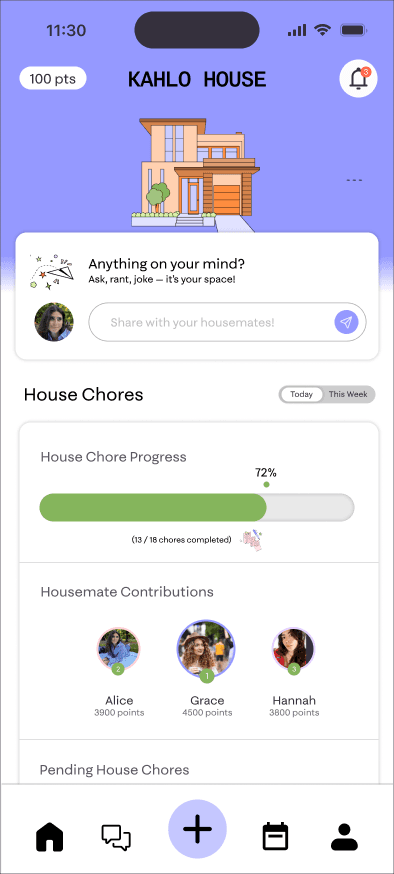
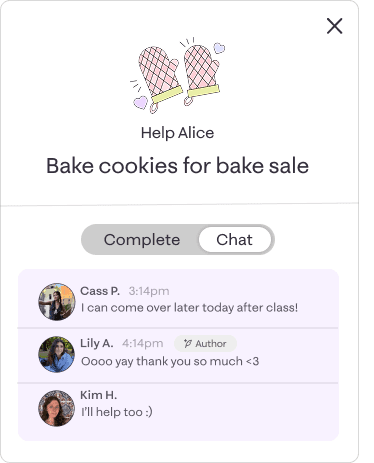

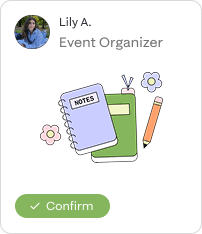
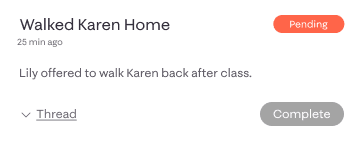
FIG. 18
Ideas for House Chores
Outcome
Restructuring the app improved information discovery by 73.4% (from 15.8 to 4.2 seconds) and increased task completion rates by 30%, reaching an average 85% success rate.
The Final Product
Some key flows

Sign-up/log-in
Sign up for Quilly by inputting your name, email, and a password. Quilly will then email you a code to verify your account!
FIG. 19
Sign-up/log-in Demo

Get sorted into your house
Learn more about yourself and get sorted into your Quilly "House" through our fun questionnaire about school, work, friends, and more.
FIG. 20
Questionnaire Demo

Talk to your community
Learn more about yourself and get sorted into your Quilly "House" through our fun questionnaire about school, work, friends, and more.
FIG. 21
DIscussion Demo

Meet new people
Talk to your housemates through the discussion board. You can post memes, ask questions, or share whatever’s on your mind!
FIG. 22
Attending a Hangout Demo
Project Reflections
Challenges

Simplifying improves usability
Reducing redundant features and reorganizing information hierarchy made the app more intuitive and easier to navigate. Focusing on clarity over quantity helped users find what they needed faster and improved overall engagement.

Consistency builds trust and scalability
Establishing a cohesive visual language and design system not only enhanced the brand’s credibility but also streamlined collaboration between design and development—laying a strong foundation for future growth and updates.
What's next
An AI-powered chat-bot
For future updates, we planned an AI chatbot to guide users through tasks and app features. Designed as a “house pet,” this assistant aims to make navigation more intuitive and engaging.
The Full Design Process
There's a lot more to see behind the scenes!
Want to hear more about Quilly? I’m happy to chat more about my process over a call. Reach out to me at tranthaomy2017[at]gmail[dot]com!