
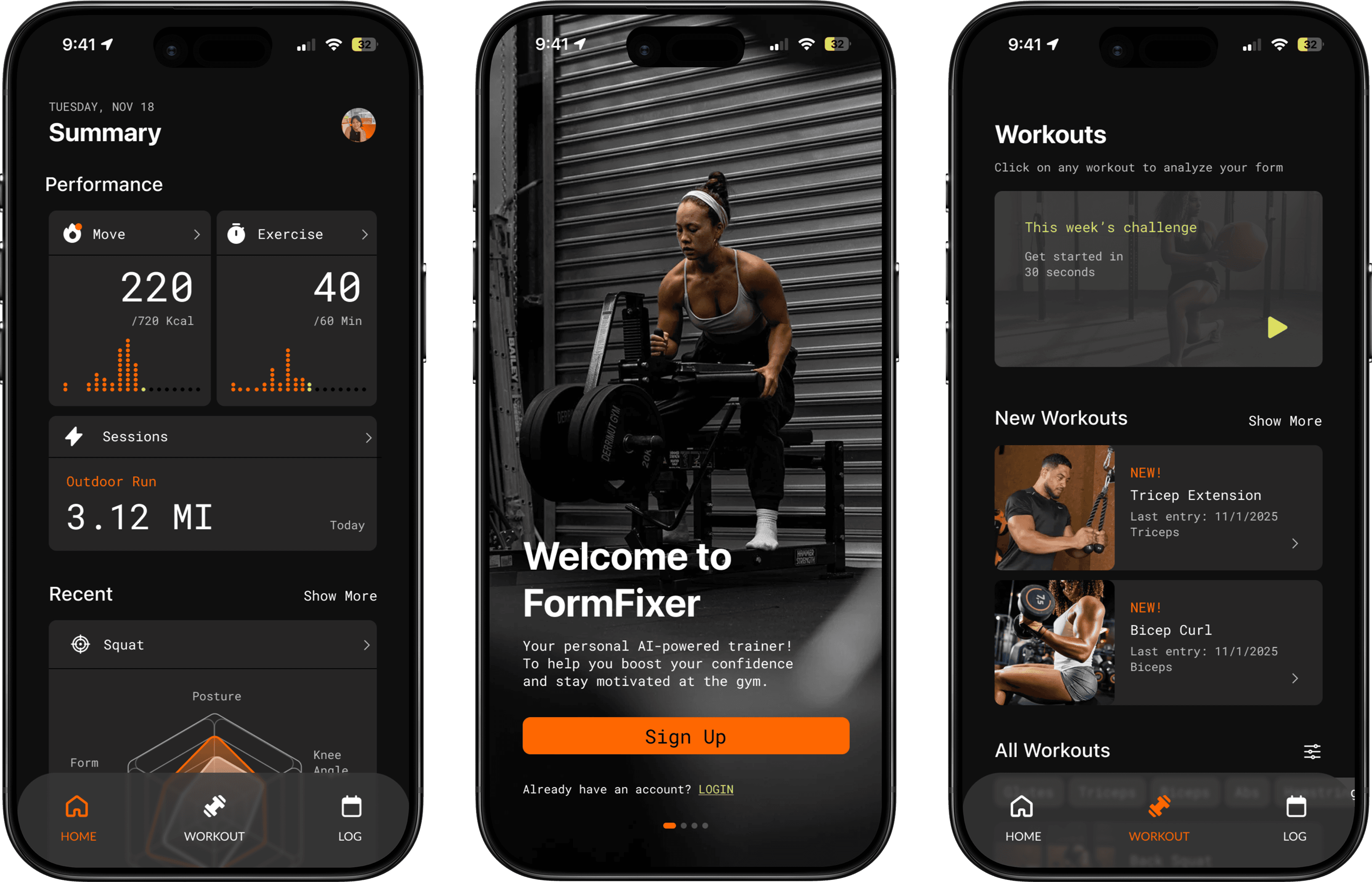
2025 / PRODUCT DESIGN / MOBILE APP
Elevating Exercise with FormFixer
ROLE
Product Designer
TEAM
3 Developers, 1 Designer (me)
TOOLS
Figma, Miro, Adobe Photoshop
DURATION
March - April 2025 (8 Weeks)
THE PROBLEM
Gymtimidation,
/jimˌtiməˈdāSH(ə)n/
noun
The feelings of anxiety and overwhelm that sometimes come with the idea of working out in the presence of others*
|She felt gymtimidation as soon as she walked into the crowded gym.
*Resource: Cleveland Clinic
A phenomenon that manifests in the form of:
1. Feeling scared to go the gym because of the high barriers
Feeling like everyone around you knows what they are doing but you
Worry that poor form will lead to injury
Gymtimidation especially affects women!
Insight #1

Women are more likely than men to report barriers to exercise and reduced control over their decision to exercise.
*Resource: Science Direct
Insight #2

Only 25.8% of women in the U.S. meet muscle-strengthening guidelines (≥2x/week) compared to 34.8 % of men.
*Resource: PubMed
Insight #3

On average women who strength-train at least twice a week have a 19% lower mortality risk than women who trained less often or not at all.
*Resource: NIH
Our perspective into the problem
This problem space felt especially meaningful to our team, which was primarily composed of women. We each brought experience from different areas of fitness and sport, giving us a diverse and nuanced understanding of the challenges across these environments. This shared perspective allowed us to approach the problem with both empathy and unique insight.
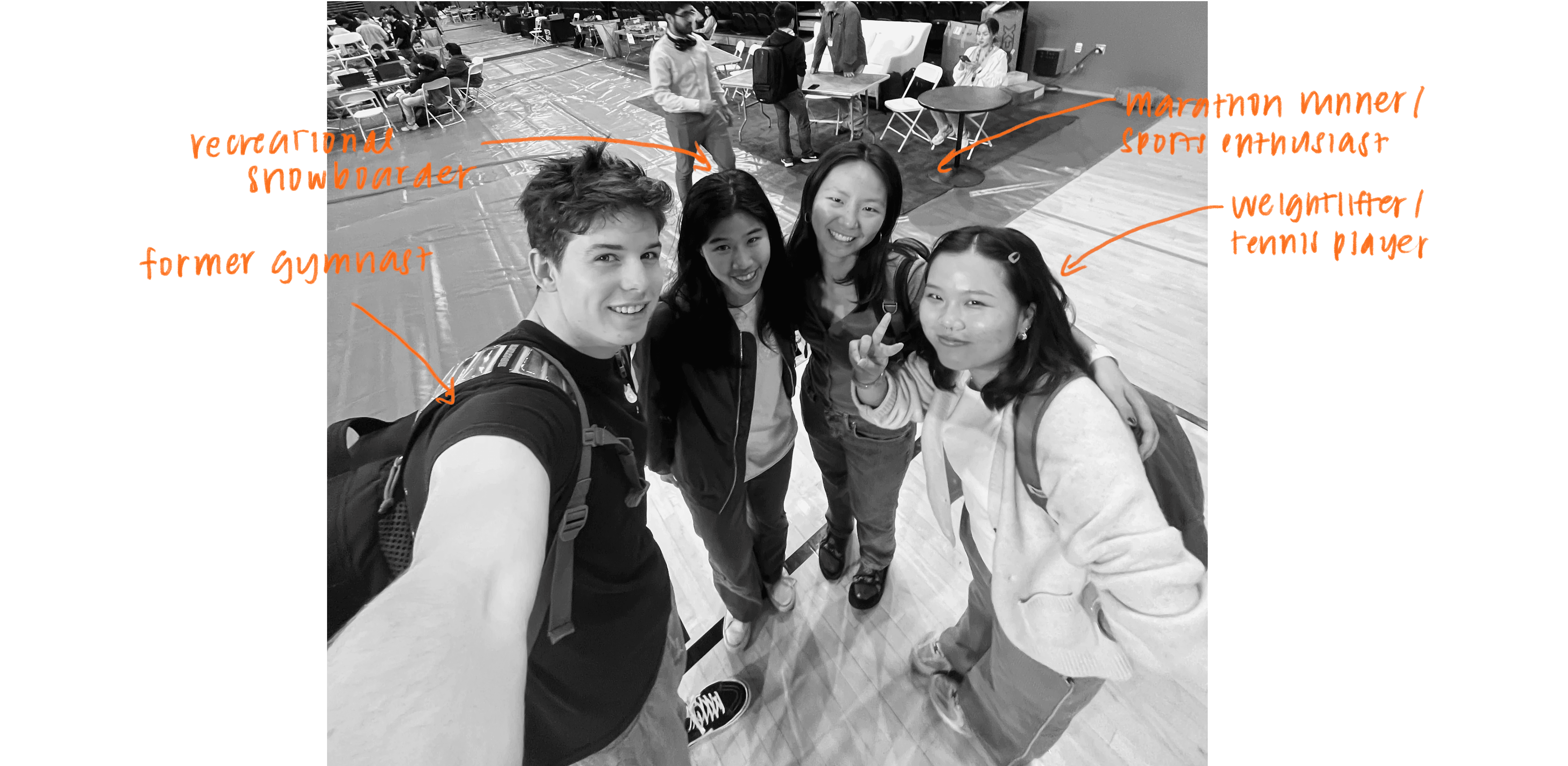
FIG. 0
THE DREAM TEAM!
OUR SOLUTION
An AI-powered form detection application that provides users with real-time responses on their form. Uploading videos of your workouts allows FormFixer to employ advanced pose estimation algorithms and heuristic analysis to meticulously assess crucial metrics like shoulder alignment and squat depth and provide personalized feedback.
While the app will be mostly designed for beginners to the gym, long-time gym-goers will also benefit by using the app to mitigate long-term injuries and ensuring that they are maximizing their gain potentials from their workouts.
OUTCOMES
2nd
Placed 2nd overall at LA Hacks!
+100
Over 100 screens created across iterations
95%
95% of test users would recommend FormFixer to a friend
User Research
Understanding different perspectives on going to the gym
My team and I wanted to build an app that would be useful for gymgoers of all ages, abilities, and experiences. Therefore we interviewed about 15 people from the ages of 18-60 at LA Hacks to gain a deeper understanding of the struggles that different people face at the gym. From this we extracted three main challenges:
Pain Point #1
Going to the gym often involves a lot of guesswork
Quote: "Most of the time I have no idea what I'm doing, so it is hard to feel comfortable in the gym."
Pain Point #2
Working out improperly can lead to serious injury
Quote: "I hurt my back doing squats once. I wish I had known the correct squat form back then."
Pain Point #3
Plateaus in progress are often frustrating
Quote: "I've been lifting the same weight for weeks. It is frustrating to go to the gym and not see results."
Competitive Analysis
Getting a feel for market gaps through different available products
Analyzing some of the most popular health and fitness apps as well as some products marketed towards form correction specifically, revealed that none of the products on the market currently, offer real-time correction and form feedback.
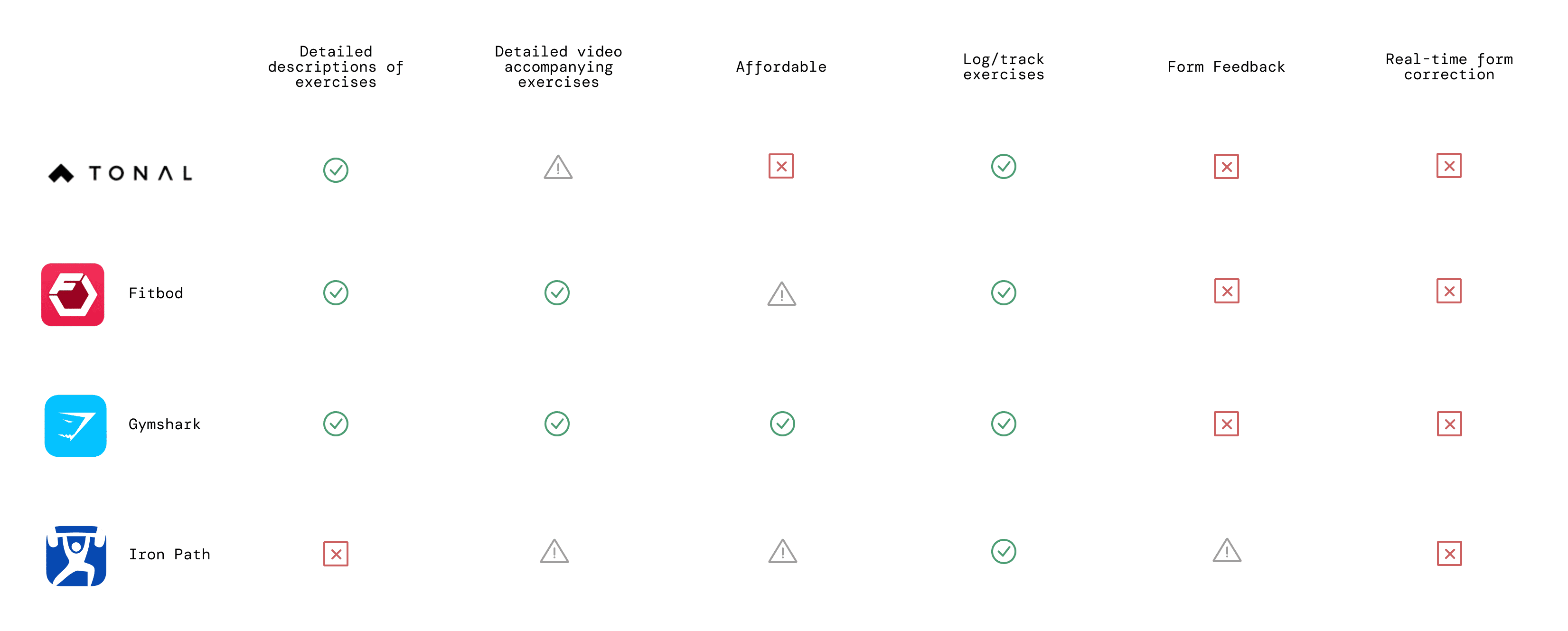
FIG. 1
COMPETITVE ANALYSIS
Breakdown
How will our app actually work?
To get an understanding of how our app would process and parse workout videos and deliver feedback, I mapped out the backend of the process with the developers.
Input
vid_01.mp4

Transformation
YOLOv8 Advanced Computer Vision

+
Exercise-specific tuning

Output

vid_01.mp4 with overlay

Values
FIG. 2
The Backend Processing
Output of good form
Shoulder alignment: 61.08%
Max knee angle: 76.3°
Max hip angle: 71.68°
Output of good form
Shoulder alignment: 25.25%
Max knee angle: 77.76°
Max hip angle: 60.12°
Output of Poor form
Shoulder alignment: 33.72%
Max knee angle: 154.35°
Max hip angle: 120.28°
FIG. 3
Output Examples
Once we had an understanding of the outputs of the YOLOv8 processing, the team and I began working on ways to expand on the raw values. To do so, we had to take in a few considerations.
How can we represent these outputs in a way that is:
Consideration #1
Honest, but motivating
We wanted to clearly communicate areas for improvement without discouraging users. Feedback needed to be direct enough to build awareness, while still reinforcing progress and encouraging users to keep going.
Consideration #2
Data-driven, but actionable
Numbers and values are difficult to understand without any context. We wanted our feedback to be functional and insightful by building on the data, not just surfacing it.
Consideration #3
Measurable over time
We also wanted to design our insights them to be consistent and measurable across workouts, allowing users to track progress, identify patterns, and stay motivated through visible improvement.
In the end, we were able to meet our goals by treating the movement data as a set of weighted inputs, where different signals contribute in varying degrees to multiple performance insights.
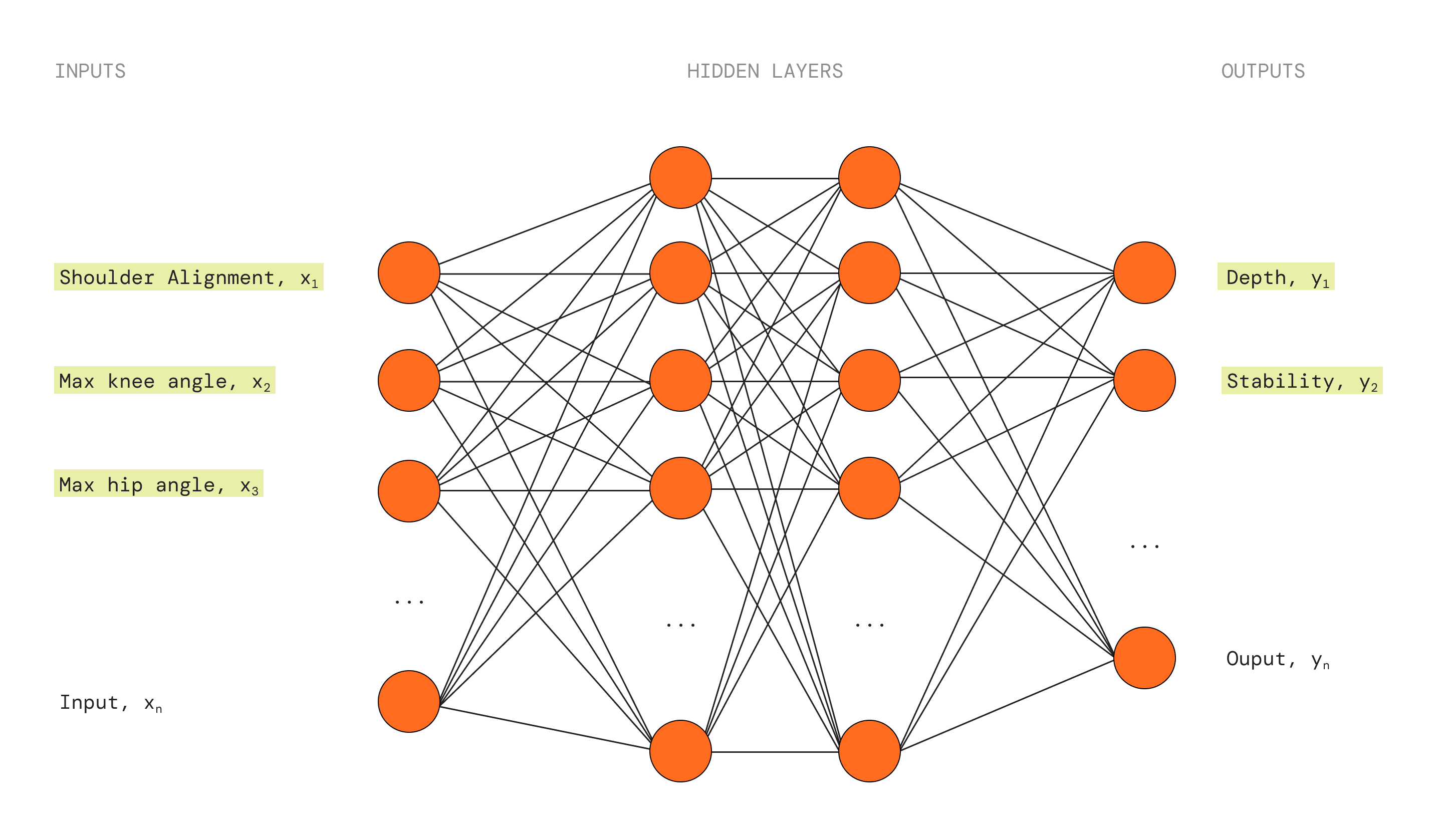
FIG. 4
A Simplification of the AlGorithm we Used to Generate our Insights
The Challenge
What would this all look like?
Taking my understanding of the app's processes, I built out the user flow of uploading a video. This was extremely difficult as I had little to no reference of other motion-based feedback interfaces.

FIG. 5
Uploading a Video User Flow
So I started sketching…
Sketching out a few key wireframes helped me get an idea of what the designs would look like. I also designed with the three key considerations from before in mind.
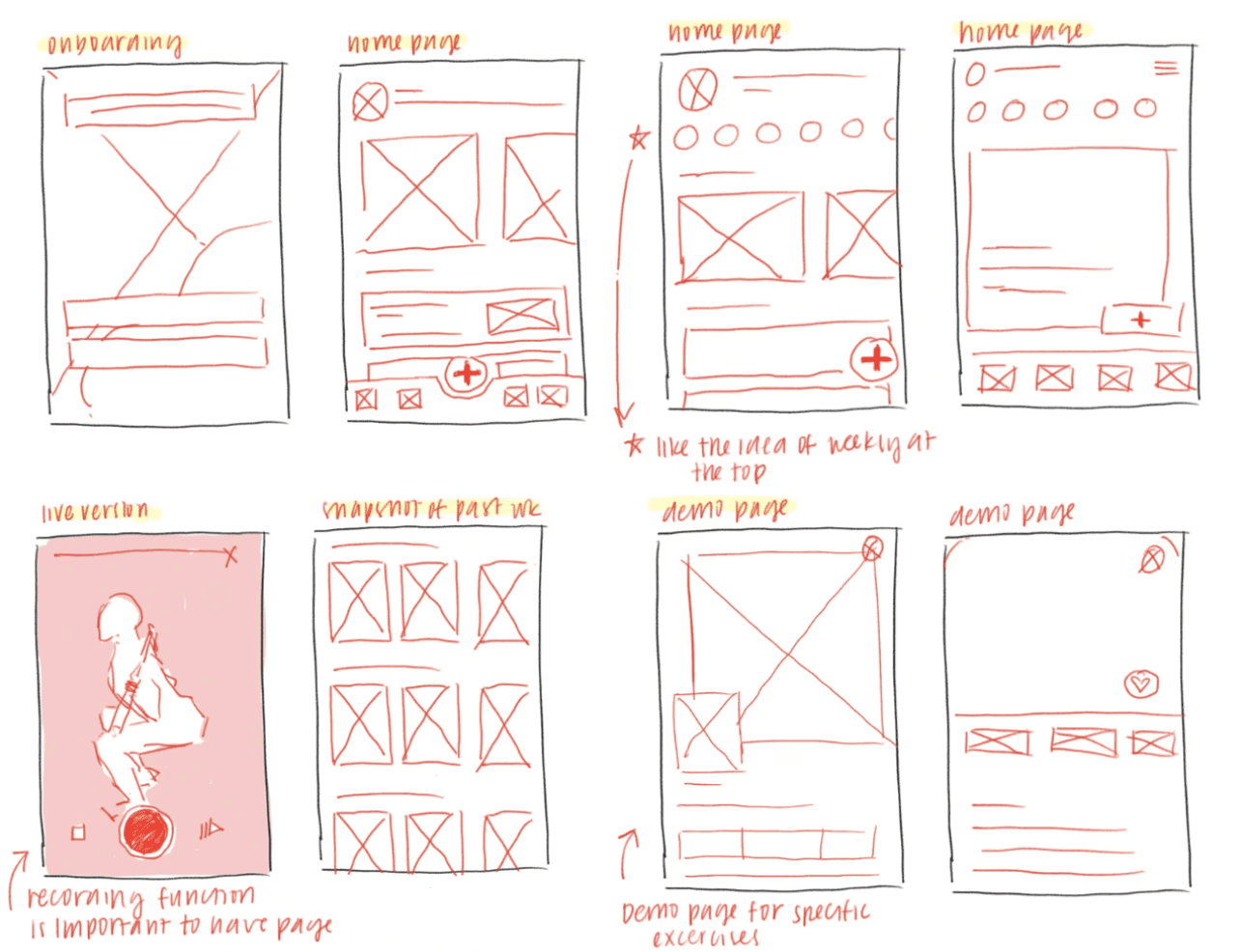
FIG. 6
INITIAL WIREFRAMES
LA Hacks
The first pass
After laying out the structure of the app and deciding on a general design direction, I began wireframing with my objectives in mind. The user experience revolves around the primary task flow of uploading a video so that is what I tried to focus on. These were the screens we presented to judges at LA Hacks.

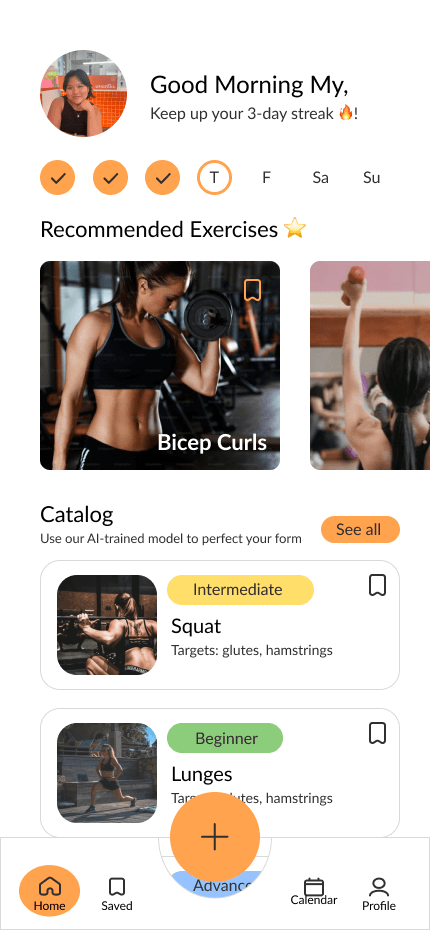

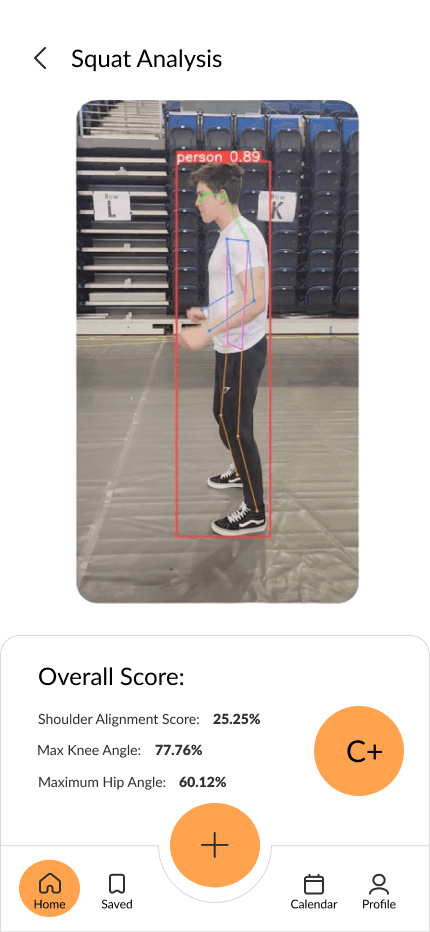
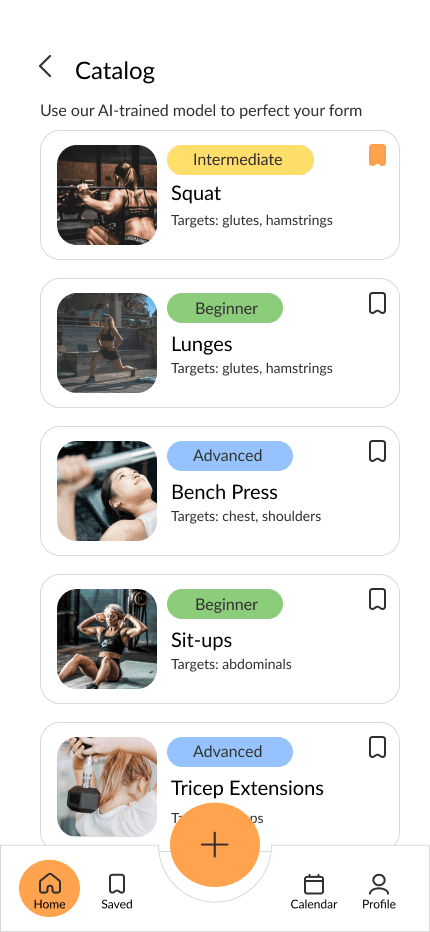
FIG. 7
V1 Hi-Fidelity Wireframes
Pitching and presenting
We pitched our project to over 10 judges and industry pros for a spot in the finals, collecting insights from hackathon veterans and experts alike. Here’s what they had to say!

Russ
Senior Software Engineer
"Cool idea! The design is pretty straightforward and it achieves what it sets out to do."
Jenna
Senior Product Designer
"Very easy to use and would be super helpful for the gym. The information is clear and the navigation is easy."
With this design, my team and I advanced to the top four projects at LAHacks, where we pitched to 1,000+ participants and industry professionals. Our project ultimately won second place overall, along with the MSI Prize.
Post-Hackathon Changes
Addressing user confusion and navigation challenges
Even with strong feedback from judges, there were still several UI issues that I wanted to continue to refine after the hackathon.
Tuning the navigation bar
Because recording and uploading workouts is the app’s core action, I initially placed the capture button front and center in the navigation bar. But this made the nav feel crowded, so in the second iteration I streamlined the layout and moved the upload and record options into the workout page. The third iteration introduced a background blur behind the nav for a cleaner, more modern look.
V1


Centered FAB, Expands into contextual actions
V2

Standard nav bar,
Upload and record are their own pages
V3
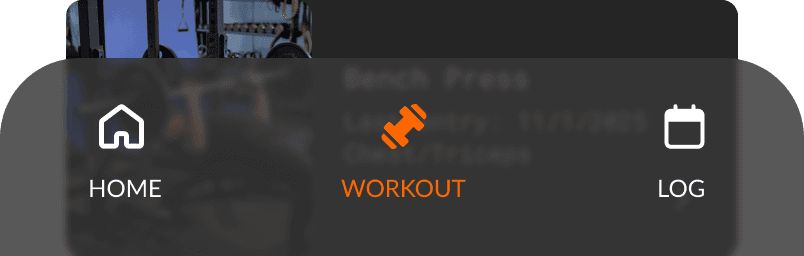
Standard nav bar, Upload and record are their own pages, Blurred background
FIG. 8
V1-V3 of the Navigation Bar
Elevating the analytics experience
Our metrics initially appeared as raw angles and alignment values, but these numbers weren’t very intuitive for casual gym-goers. In the second and third iterations, I introduced graphs to show how the metrics relate and to make progress easier to visualize over time. The second and third iterations also added a weight and metric progression graphs for additional context.
V1
Centered FAB, Expands into contextual actions
V2
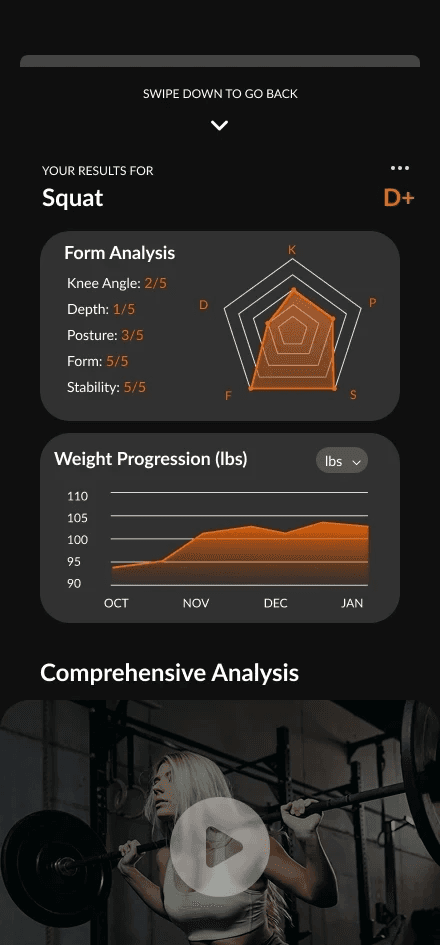
Standard nav bar,
Upload and record are their own pages
V3

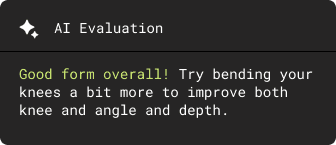
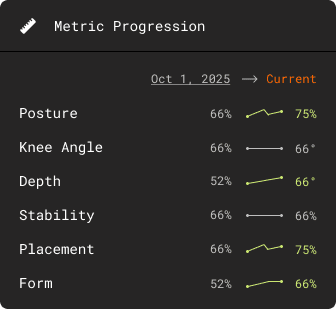

Standard nav bar, Upload and record are their own pages,
Blurred background
FIG. 9
V1-V3 of the Analytics Experience
Dialing in the color story
Research into other fitness apps revealed that darker interfaces are more common—and more effective. After creating a dark variant, my team and I agreed it delivered a stronger, more focused tone. The deeper background also made the orange accent pop, giving the UI a sharper, more energetic feel. In the third iteration, I introduced a secondary accent: a light neon green to enhance visual contrast.
V1
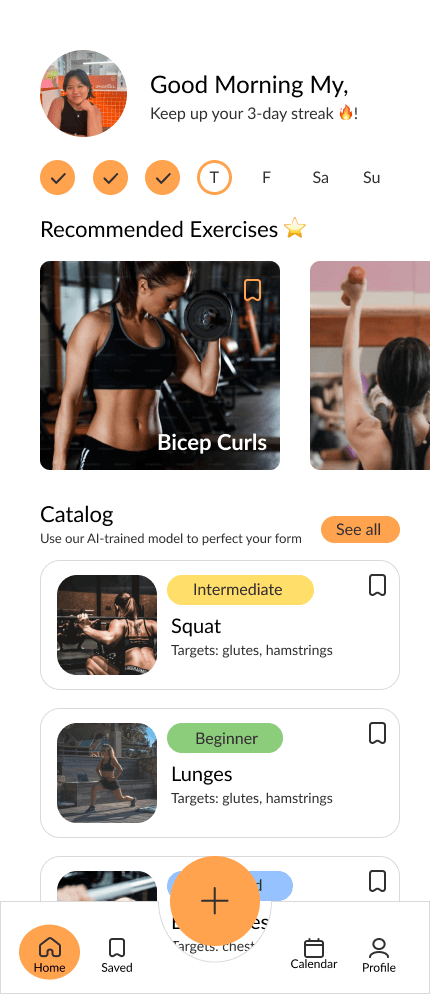
Lighter color palette with many different accent colors
V2
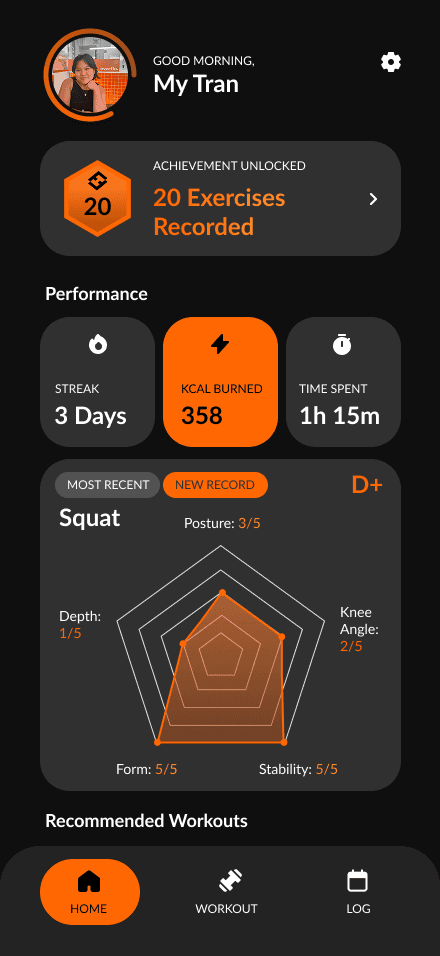
Darker color palette with only bright orange as the accent color
V3
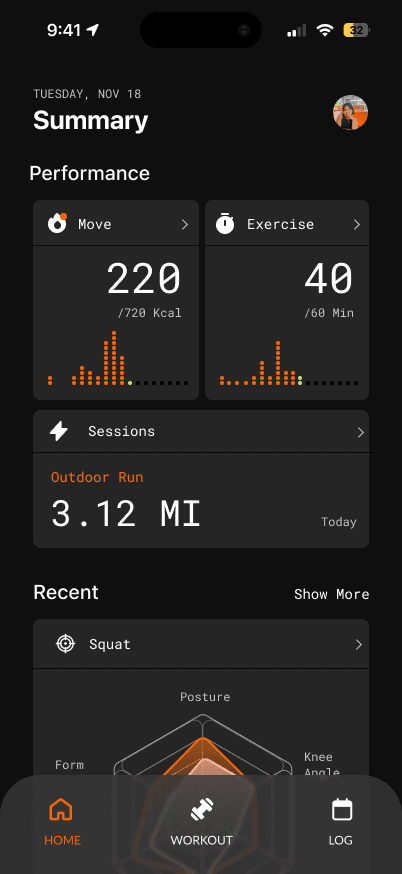
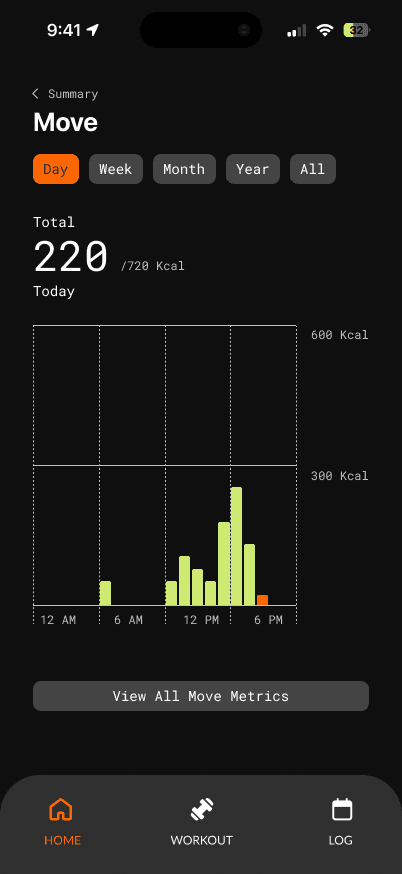
Darker color palette with bright orange and light green as the accent colors
FIG. 10
V1-v3 of the Color Story
Design and Branding
Establishing the design system
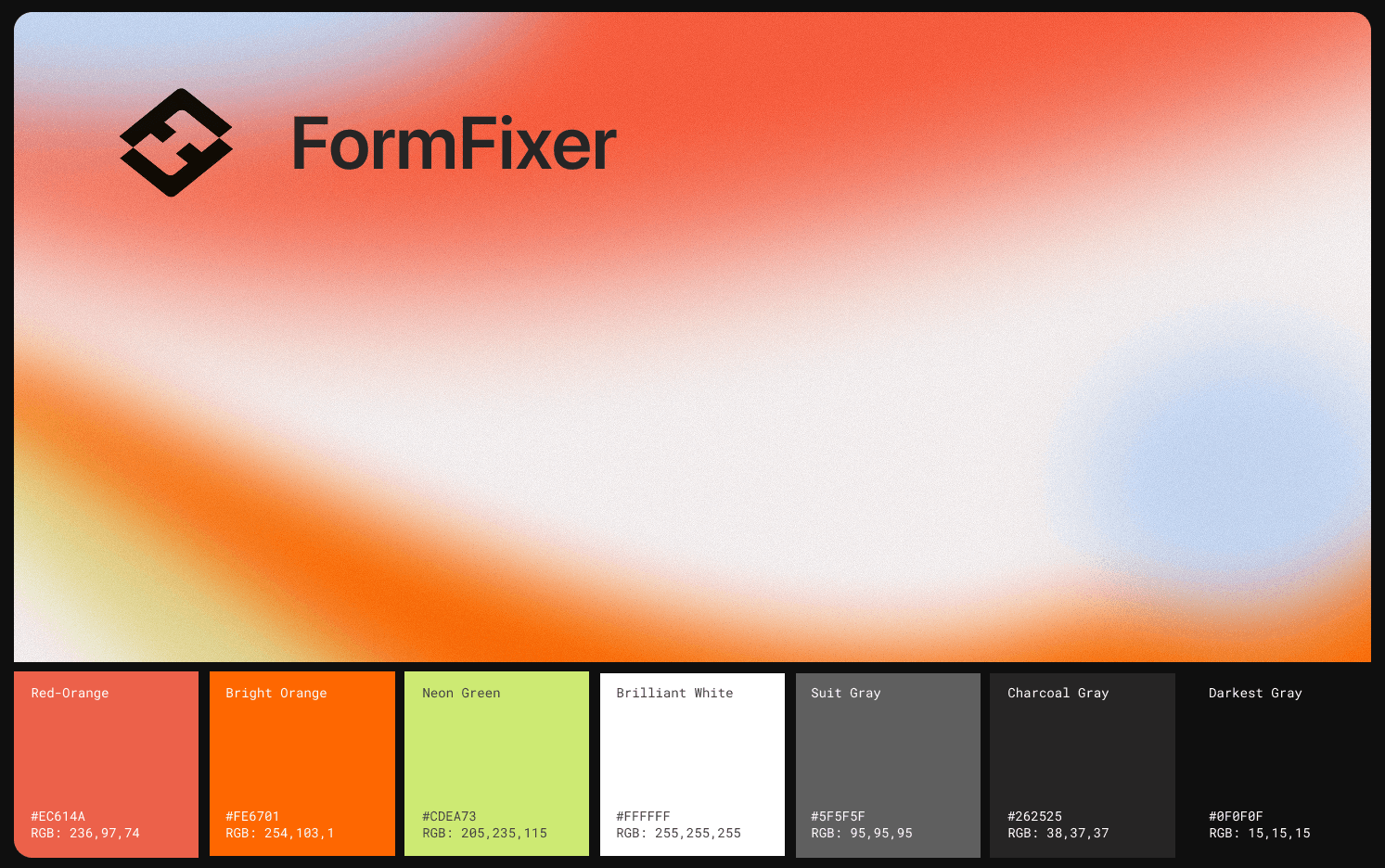
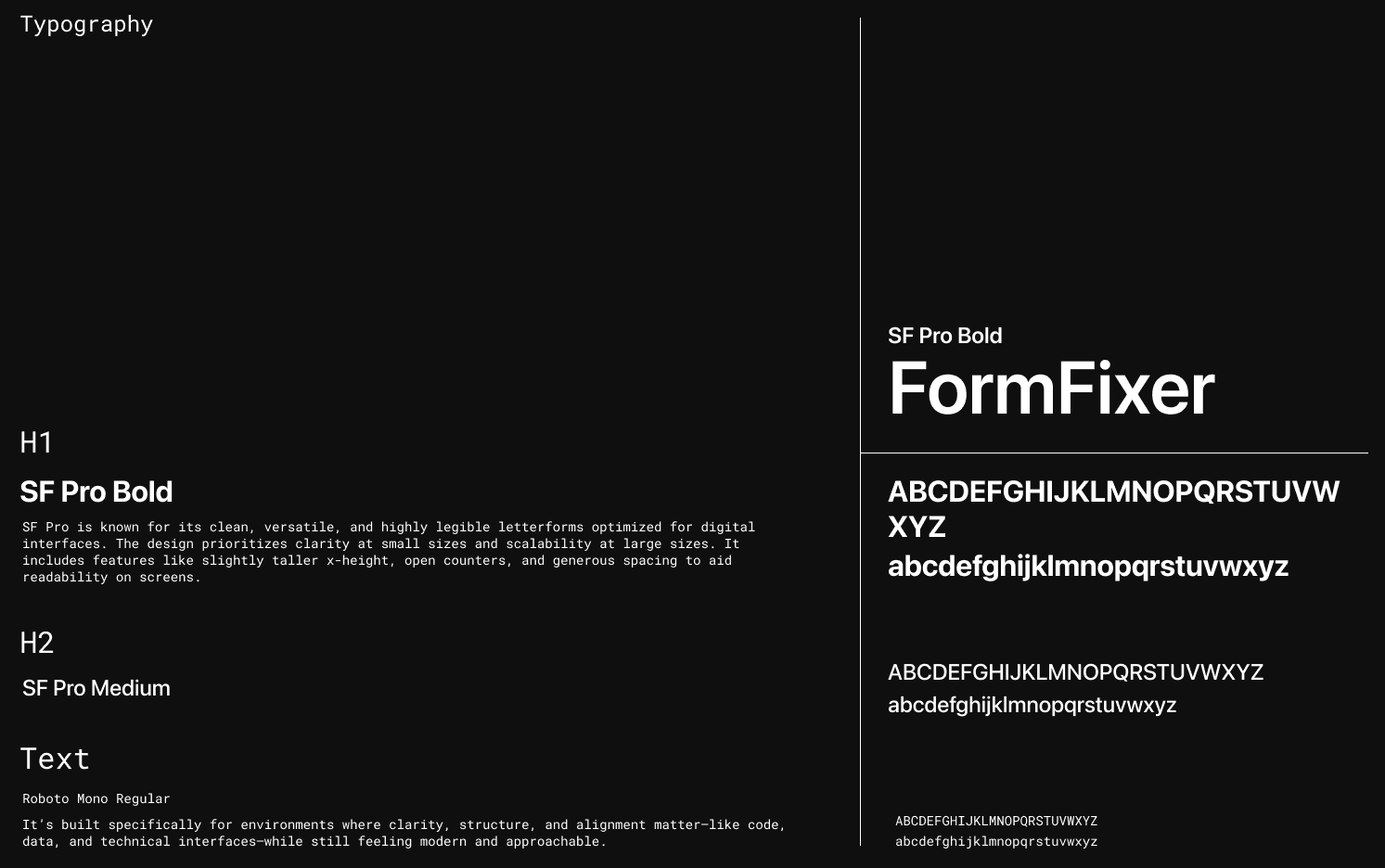
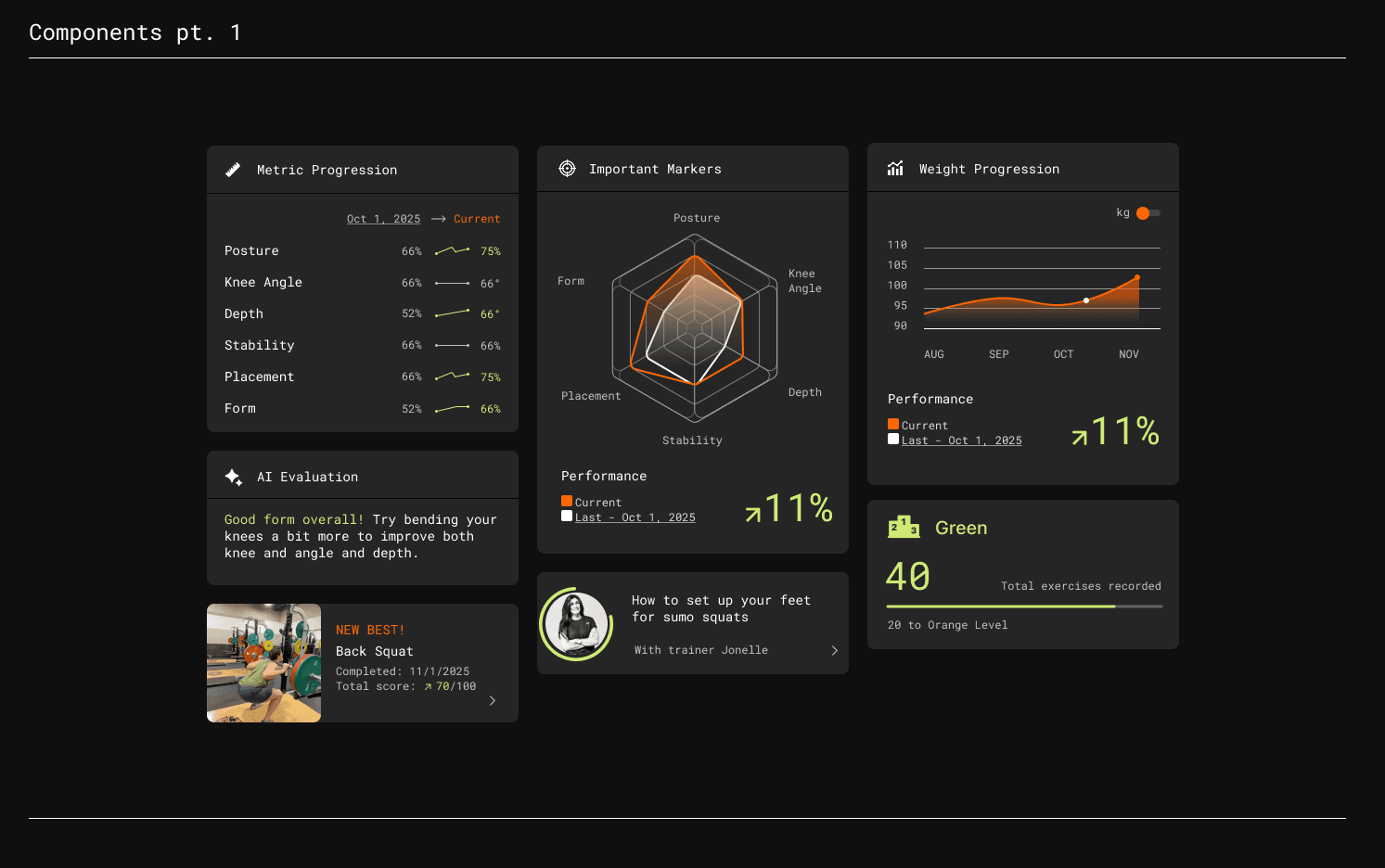
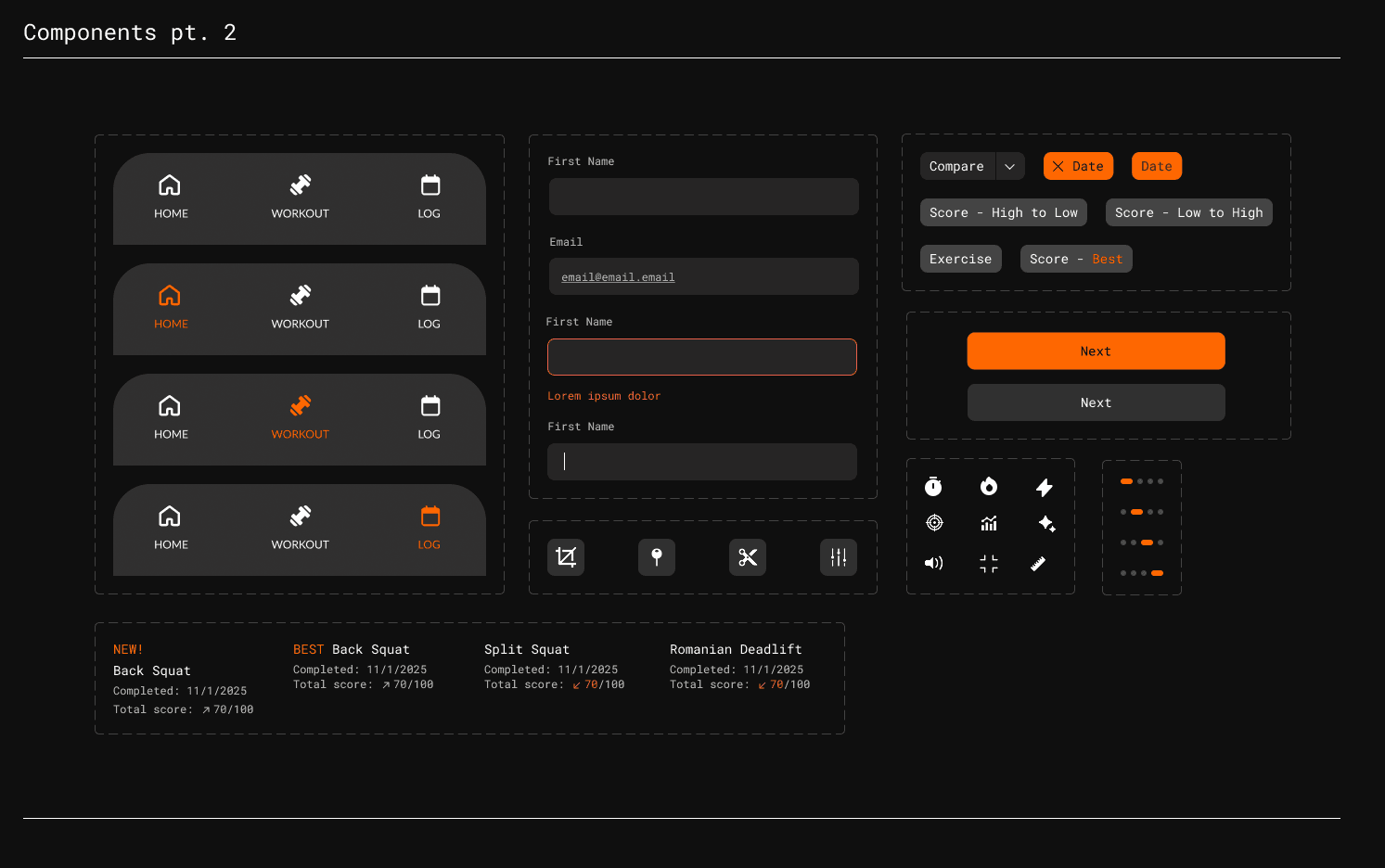
FIG. 11
The Design System
The Final Product
Introducing FormFixer
Onboarding
Personalize your profile and workout
Record yourself working out
Users can record their workouts and get real-time, detailed feedback on their performance.
Keep track of your progress
Key metrics and components are logged so that users can review their progress and make adjustments to their regimens.
Get actionable insights
FormFixer translates key measurements and insights into clear graphs, enabling users to engage with their feedback more intuitively.
Project Reflections
Challenges

Cross-team collaboration
As a designer, I had a clear vision for the interface, but I learned that technical constraints like performance and platform limitations can impact implementation. I adapted by collaborating closely with developers to find the best balance between design and feasibility.

Trying to reinvent the wheel
Since uploading and analyzing workouts is the core function of our app, I wanted to streamline the experience and provide clear insights. But I realized changing familiar user patterns for aesthetics could create confusion, so I focused on improving usability while keeping interactions intuitive.
The Full Design Process
There's a lot more to see behind the scenes!
Want to hear more about LA Hacks or chat about weightlifting? I’m happy to chat more about my process over a call. Reach out to me at tranthaomy2017[at]gmail[dot]com!